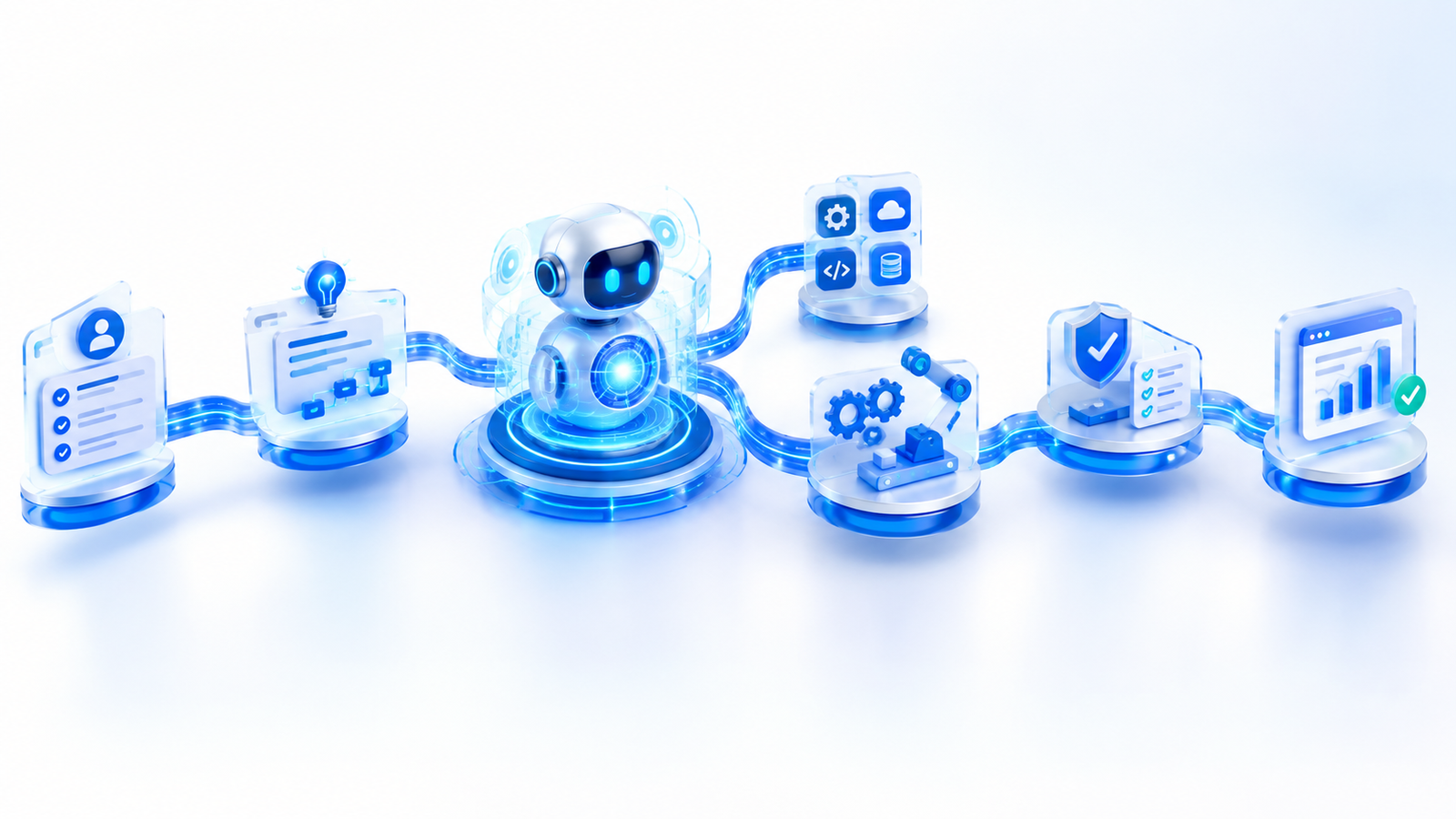
Artificial intelligence is moving beyond simple question-and-answer chatbots. Modern AI systems can increasingly understand a goal, break it into smaller tasks, use external tools, perform actions, check their work, and produce a completed result.
This is where an AI agentic workflow becomes important.
Instead of simply responding to a prompt, an AI agent can participate in a multi-step process designed to accomplish a specific objective. Depending on the system, it may search for information, analyze documents, interact with software, generate content, organize data, call APIs, or hand work to another specialized agent.
In this guide, we’ll explain what an AI agentic workflow is, how it works, how it differs from a traditional chatbot, common use cases, benefits, limitations, and what the future of agent-based AI could look like.
What Is an AI Agentic Workflow?
An AI agentic workflow is a structured process in which an AI agent uses reasoning, instructions, tools, and actions to work toward a defined goal.
A simple chatbot interaction usually looks like this:
User → Prompt → AI Response
An agentic workflow can look more like this:
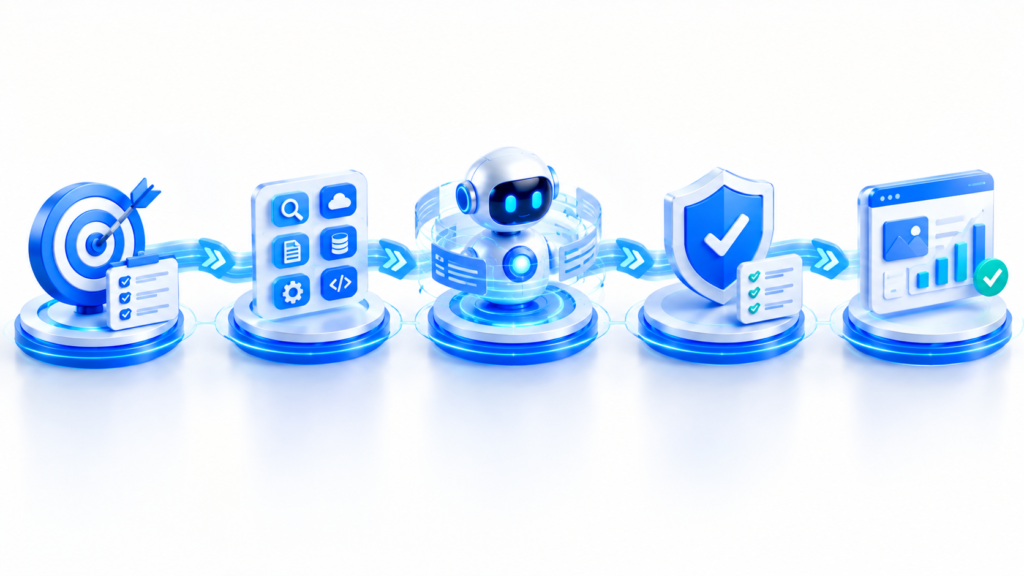
Goal → Planning → Tool Selection → Action → Verification → Result
The important difference is that the AI is not limited to producing one response. It can participate in a sequence of actions required to complete a task.
OpenAI describes agents as systems that can accomplish tasks on a user’s behalf and use tools to gather information or take actions. OpenAI’s practical guide to building agents
This doesn’t mean every AI application is an agent. A basic chatbot that only answers a question without controlling a workflow is generally different from an agent that decides which tools to use and continues working until a defined stopping condition is reached.
How Does an AI Agentic Workflow Work?
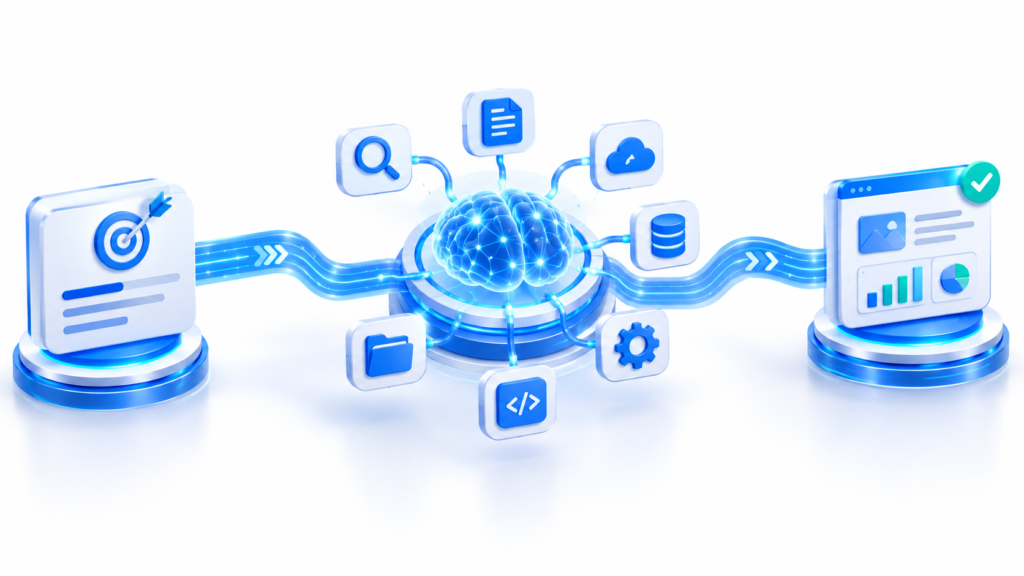
Although implementations differ, many agentic workflows can be understood through five major stages.
1. Goal and Planning
Everything starts with a goal.
For example:
“Research the latest developments in AI agents and create a detailed report.”
Instead of immediately writing the report, an AI agent may first determine what needs to happen.
It could break the task into smaller steps such as:
- Identify the important topics.
- Search reliable sources.
- Collect relevant information.
- Compare different sources.
- Organize the findings.
- Write the report.
- Check the final information.
- Present the completed result.
This planning stage helps transform a broad objective into a sequence of manageable actions.
2. Tool Selection
The agent may then determine which tools are required.
Depending on the task, available tools could include:
- Web search
- Databases
- APIs
- File systems
- Document processors
- Code execution
- Business applications
- Cloud services
- Calculators
- Communication tools
For example, an AI research agent may use web search to collect information, while a data-analysis agent could use a database and Python environment.
Modern agent architectures commonly separate the AI model, tools, and instructions. OpenAI’s agent documentation describes tools as capabilities that allow agents to interact with external systems. OpenAI Agents documentation
3. AI Takes Action
After deciding what needs to be done and which tools are appropriate, the agent can begin executing the workflow.
For example:
Research task
→ Search for information
→ Open relevant sources
→ Extract useful facts
→ Compare information
→ Organize findings
Business task
→ Read incoming request
→ Find customer information
→ Check available data
→ Update a system
→ Prepare a response
Content task
→ Research topic
→ Create an outline
→ Draft content
→ Review information
→ Prepare the final article
This action-oriented behavior is one of the major differences between traditional conversational AI and agentic systems.
4. Verification and Correction
A reliable workflow shouldn’t simply assume that every action was successful.
The agent may need to check:
- Did the tool return the expected information?
- Is the data complete?
- Did an API call fail?
- Are there contradictions between sources?
- Does the final output meet the requested format?
- Is human approval required before the next action?
This verification stage is especially important for workflows involving sensitive information, business operations, financial data, software changes, or other high-impact tasks.
Agents can also be designed with guardrails and stopping conditions so that they do not continue indefinitely or perform actions outside their intended scope.
5. Final Result
Once the required steps have been completed and verified, the agent produces the final result.
That result could be:
- A research report
- A summary
- A completed spreadsheet
- A software change
- A customer-support response
- A business analysis
- A study plan
- A content draft
- A processed document
- An automated business action
The key idea is that the user provides a goal while the system manages some or all of the steps required to reach the outcome.
AI Agent vs Traditional Chatbot
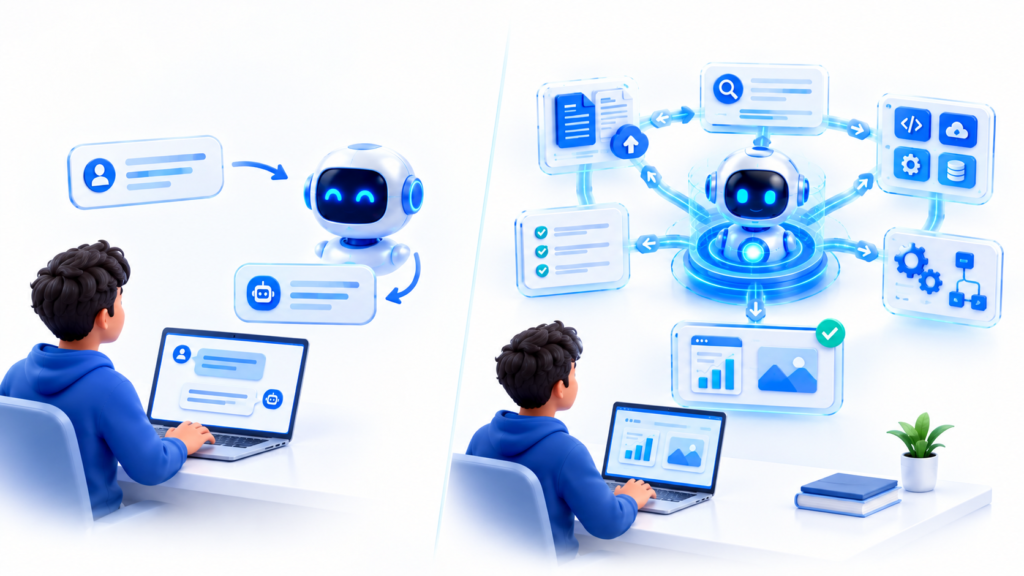
One of the easiest ways to understand an AI agentic workflow is to compare it with a traditional chatbot.
| Traditional AI Chatbot | AI Agentic Workflow |
|---|---|
| Usually responds to a prompt | Works toward a broader goal |
| Often produces one response | Can perform multiple steps |
| Limited tool interaction | Can use multiple tools |
| User often directs each step | Agent can determine the next step |
| Primarily conversational | Action-oriented |
| Usually stops after responding | Can continue until a stopping condition |
| Limited workflow control | Can coordinate complex workflows |
For example, imagine asking an AI:
“Find five useful AI tools for students and create a comparison.”
A basic chatbot might provide a response based on its available knowledge.
An agentic system could potentially:
- Search for current tools.
- Collect information about each tool.
- Compare their features.
- Organize the information.
- Identify missing data.
- Verify important claims.
- Create a structured comparison.
The exact capabilities depend on the agent’s tools, permissions, model, and implementation.
A Simple Example of an AI Agentic Workflow
Imagine a student wants to prepare for an upcoming examination.
The student gives an AI agent this goal:
“Help me prepare a two-week study plan from my uploaded material.”
The workflow could look like this:
Step 1: Understand the Goal
The agent identifies the subject, exam date, available study time, and expected outcome.
Step 2: Analyze Study Material
The agent reads the student’s documents and identifies chapters, topics, definitions, and important concepts.
If you’re interested in using AI for document-based learning, you can also read our guide on How to Summarize a PDF With ChatGPT.
Step 3: Organize the Topics
The agent categorizes the material according to difficulty, importance, and estimated study time.
Step 4: Generate Learning Resources
It could create:
- Study notes
- Flashcards
- Practice questions
- Topic summaries
- Revision checklists
Step 5: Build the Study Plan
The agent turns the information into a day-by-day schedule.
Step 6: Verify the Plan
It checks whether the schedule fits within the student’s available time and whether all major topics have been included.
Step 7: Deliver the Result
The student receives a structured study plan instead of having to manually perform every step.
This is a good example of how an AI agentic workflow can connect several smaller tasks into one larger objective.
Where Are AI Agentic Workflows Being Used?
AI agents can be applied to many different types of work.
Education
Educational workflows can use agents to:
- Create personalized study plans
- Summarize learning material
- Generate practice questions
- Organize notes
- Explain difficult concepts
- Track learning tasks
For more AI education ideas, check out our guide to Best AI Tools for Making Study Notes in 2026 and explore the latest AI resources on TechWithArif.
Research
Research agents can help organize multi-step research tasks.
A workflow could involve:
Question → Search → Source Collection → Analysis → Comparison → Report
This can be particularly useful when a research task requires information from multiple sources.
However, important claims should still be checked against the original sources.
Content Creation
Content teams can use agentic workflows for:
- Topic research
- Content outlines
- Keyword research
- Draft preparation
- Fact checking
- Content formatting
- Content repurposing
For example, a content workflow could transform one long research document into an article, social-media posts, a video outline, and a newsletter draft.
You can also explore our guide on How to Summarize YouTube Videos With AI for another example of how AI can transform large amounts of information into more useful formats.
Business Analytics
AI agents can potentially connect to business data and help with:
- Report generation
- Data analysis
- Customer information
- Sales research
- Business summaries
- Spreadsheet workflows
- Operational tasks
The exact level of automation depends on the tools and permissions provided to the agent.
Document Processing
An agent can potentially work across multiple documents and perform tasks such as:
- Extracting information
- Comparing files
- Finding specific data
- Summarizing reports
- Categorizing documents
- Creating structured outputs
This is particularly useful when humans would otherwise spend significant time copying information between documents and applications.
Software Development
AI agents can also be used in software-development workflows.
Depending on their environment and permissions, they can help with:
- Understanding a codebase
- Writing code
- Running tests
- Debugging
- Reviewing changes
- Working with files
- Preparing documentation
Modern agent platforms increasingly provide environments where agents can interact with code, files, tools, and other systems.
Why Are AI Agentic Workflows Important?
The major value of agentic workflows is not simply that AI can generate text.
The bigger idea is AI coordinating multiple steps toward an outcome.
Instead of asking:
“What can AI tell me?”
the workflow becomes:
“What can AI help me accomplish?”
This distinction can change how people use AI at work, in education, research, software development, and everyday productivity.
A single AI model may be capable of generating an answer, but an agentic system can connect that model to tools, information, actions, and workflow logic.
What Are the Benefits of AI Agentic Workflows?
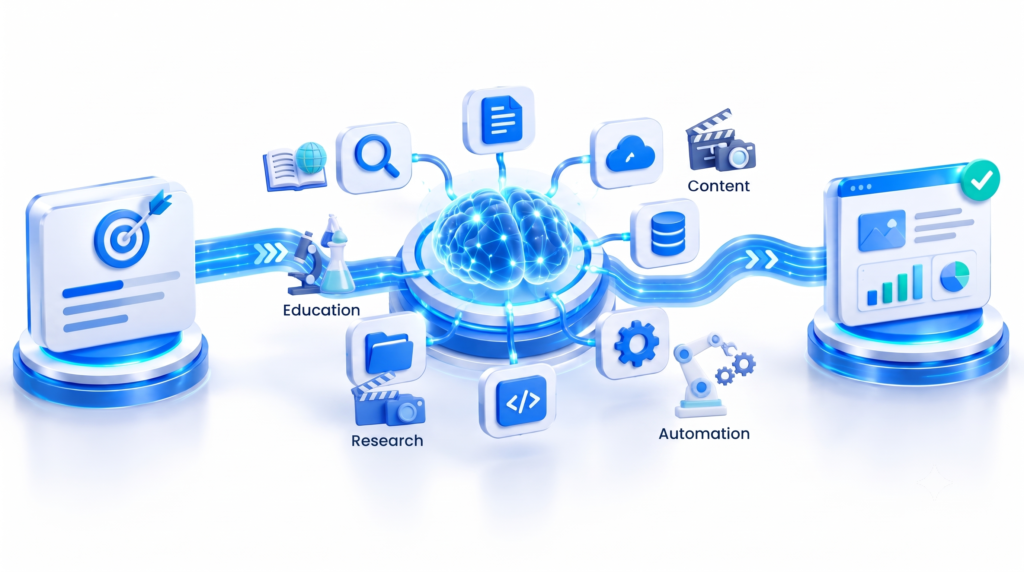
1. Automation
Agents can reduce repetitive manual work by connecting several steps into a single workflow.
2. Tool Integration
An agent can potentially work with multiple systems rather than operating in isolation.
3. Multi-Step Problem Solving
Complex tasks can be divided into smaller actions and processed sequentially.
4. Faster Information Processing
Agents can help gather and organize information across large amounts of material.
5. Personalized Workflows
The workflow can be designed around specific users, teams, goals, or business processes.
6. Better Workflow Coordination
Instead of manually moving information between applications, an agent can potentially coordinate the process.
What Are the Limitations of AI Agentic Workflows?
Agentic AI is powerful, but it is not perfect.
Accuracy
AI systems can make mistakes, misunderstand instructions, or use incorrect information.
Tool Failures
External services and APIs can fail, return incomplete information, or become unavailable.
Security
Giving an AI access to files, applications, databases, or external systems creates additional security considerations.
Privacy
Organizations need to understand what information an agent can access and where that information is processed.
Cost
Complex workflows can require multiple model calls and tool operations, which can increase usage costs.
Human Oversight
Some workflows should include human review, particularly when an action could have significant consequences.
For these reasons, a well-designed AI agentic workflow should include appropriate permissions, verification, monitoring, and clear stopping conditions.
AI Agents Still Need Human Oversight
It is tempting to think of an AI agent as something that can completely replace human decision-making.
That is not the right way to approach every workflow.
An agent can automate many steps, but humans may still need to:
- Define the objective
- Set permissions
- Review important outputs
- Approve sensitive actions
- Correct mistakes
- Monitor performance
- Decide when automation should stop
OpenAI’s guidance also emphasizes the importance of guardrails and controlled agent behavior when building agent systems. OpenAI’s agent-building guide
The goal is not necessarily to remove humans from the workflow. In many cases, the goal is to let humans focus on decisions that require judgment while AI handles repetitive or computationally intensive steps.
What Is the Future of AI Agentic Workflows?
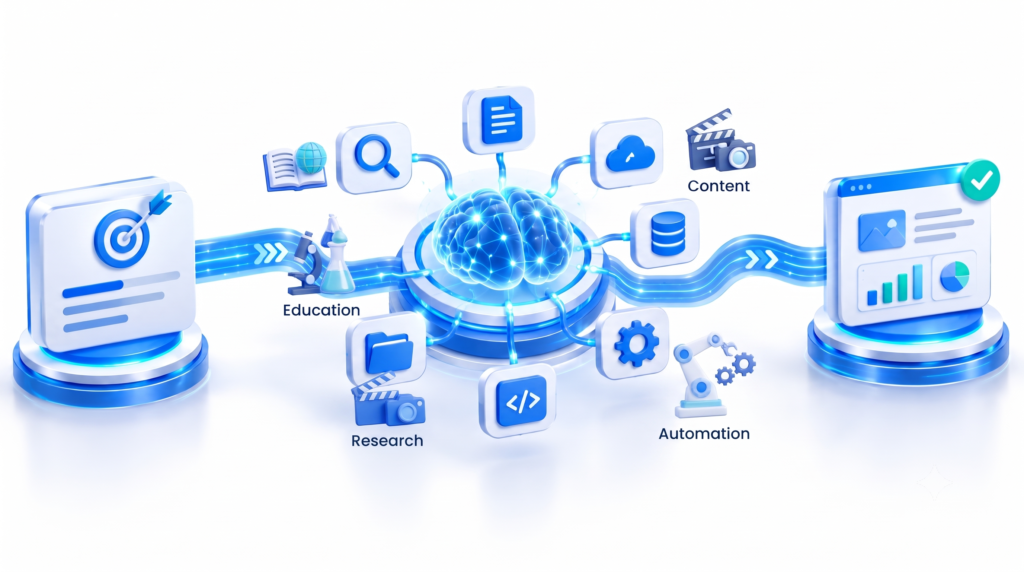
AI agents are increasingly being developed as systems that can work with tools, external applications, files, and specialized agents.
For example, one future workflow could look like this:
User Goal
↓
Planning Agent
↓
Research Agent
↓
Data Analysis Agent
↓
Content Agent
↓
Verification Agent
↓
Human Approval
↓
Final Result
This type of architecture could allow different specialized systems to work together while a central workflow coordinates the overall task.
Google Cloud, for example, describes agent platforms that can use reasoning and tools to automate complex enterprise tasks and work across multiple systems. Google Cloud’s AI agent documentation
OpenAI’s current developer documentation similarly describes agent systems that can combine models, instructions, tools, environments, sessions, and orchestration. OpenAI Agents API documentation
AI Agentic Workflow: The Simple Way to Understand It
If you want to remember only one concept from this article, remember this:
Traditional AI:
Ask → Answer
AI Agent:
Goal → Plan → Use Tools → Act → Verify → Complete
That is the fundamental idea behind an AI agentic workflow.
Instead of treating AI as only a tool for generating answers, agentic systems treat AI as a component that can participate in a larger process.
The most useful implementations will depend on how well the workflow is designed, what tools the agent can access, what permissions it has, how results are verified, and where humans remain involved.
Frequently Asked Questions
What is an AI agentic workflow?
An AI agentic workflow is a multi-step process where an AI agent works toward a goal by planning tasks, selecting tools, taking actions, checking results, and producing an outcome.
What is the difference between AI and an AI agent?
A traditional AI system may simply generate an answer when prompted. An AI agent can be designed to manage a sequence of actions and use external tools to accomplish a larger task.
Can AI agents use external tools?
Yes. Depending on the system, AI agents can use tools such as web search, APIs, databases, document processors, code environments, and business applications.
Are AI agentic workflows fully autonomous?
Not necessarily. Some workflows can run with a high degree of automation, while others require human approval at important stages.
Are AI agents useful for students?
They can be. AI agents can potentially help students organize study material, create notes, generate practice questions, build study plans, and support research. Important educational information should still be checked for accuracy.
Can businesses use AI agentic workflows?
Yes. Businesses can use agentic workflows for research, customer support, document processing, reporting, data analysis, content creation, software development, and other operational tasks.
Are AI agents always accurate?
No. AI agents can make mistakes, use incorrect information, misunderstand instructions, or encounter tool failures. Verification and human oversight remain important.
Final Thoughts
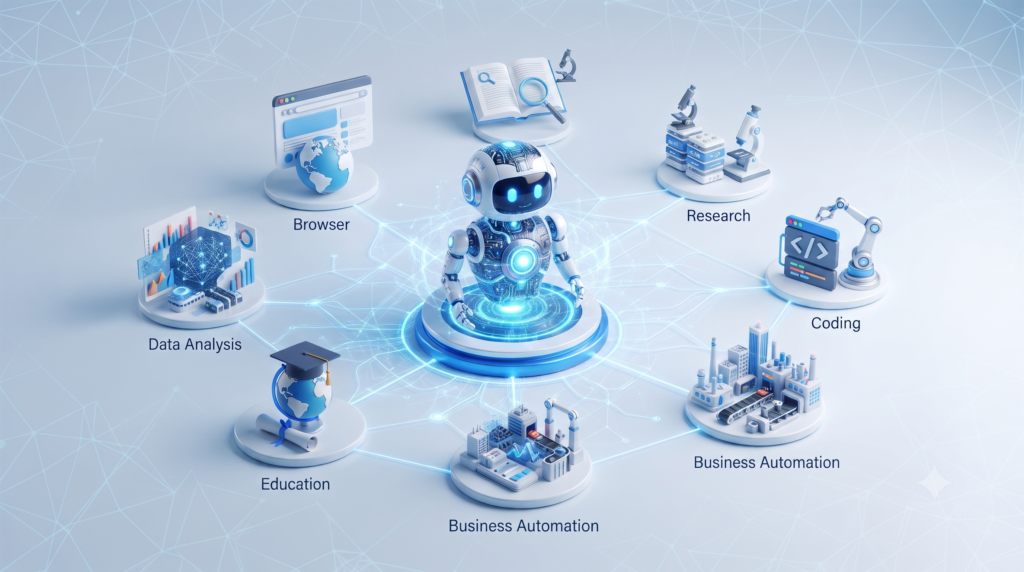
The AI agentic workflow represents an important shift in how we think about artificial intelligence.
Instead of using AI only to answer questions, agentic systems can be designed to work through a sequence of steps, interact with tools, process information, perform actions, verify results, and deliver a completed outcome.
The technology is still developing, and the capabilities of individual AI agents vary significantly. But the underlying concept is straightforward:
Give AI a goal, provide the right tools and instructions, let it work through the necessary steps, and keep appropriate human oversight in the loop.
As AI systems become more capable of working across applications and tools, agentic workflows could become an increasingly important part of how people study, research, create content, develop software, and automate business processes.
For more practical AI tutorials, technology guides, and useful digital tools, explore TechWithArif.